
Plans & Limits
WP Wand has a monthly limit on runs. It does not limit posts. Every batch you start in Bulk Posts uses one bulk run. Every time a schedule in Automated Posts runs, it uses one automated run. It doesn’t matter how many posts get written.
You use your own API key, so we never limit how many words you write.
What each plan gets
| Free | Solo | Growth | Agency | |
|---|---|---|---|---|
| Bulk runs a month | 5 | 10 | 30 | No limit |
| Automated runs a month | 5 | 10 | 30 | No limit |
| Posts in one batch | 10 | 20 | 50 | No limit |
| Posts in one automated run | 5 | 10 | 20 | No limit |
| History | No | Yes | Yes | Yes |
| Custom Prompts & AI Characters | No | Yes | Yes | Yes |
| Auto fallback | No | Yes | Yes | Yes |
| So it sounds like you (your business details) | No | Yes | Yes | Yes |
| White Label | No | No | No | Yes |
For prices, visit our Pricing Page Here
Where to see what you have used
Go to “WP Wand > Bulk Posts” or “WP Wand > Automated Posts”. You’ll see the count at the top, for example “0 of 5 bulk runs used this month”.

The count starts again every 30 days, not on the 1st of the month. When you have used all your runs, the screen tells you the date you get them back.
If every post in a run fails, you get that run back.
How to see your plan
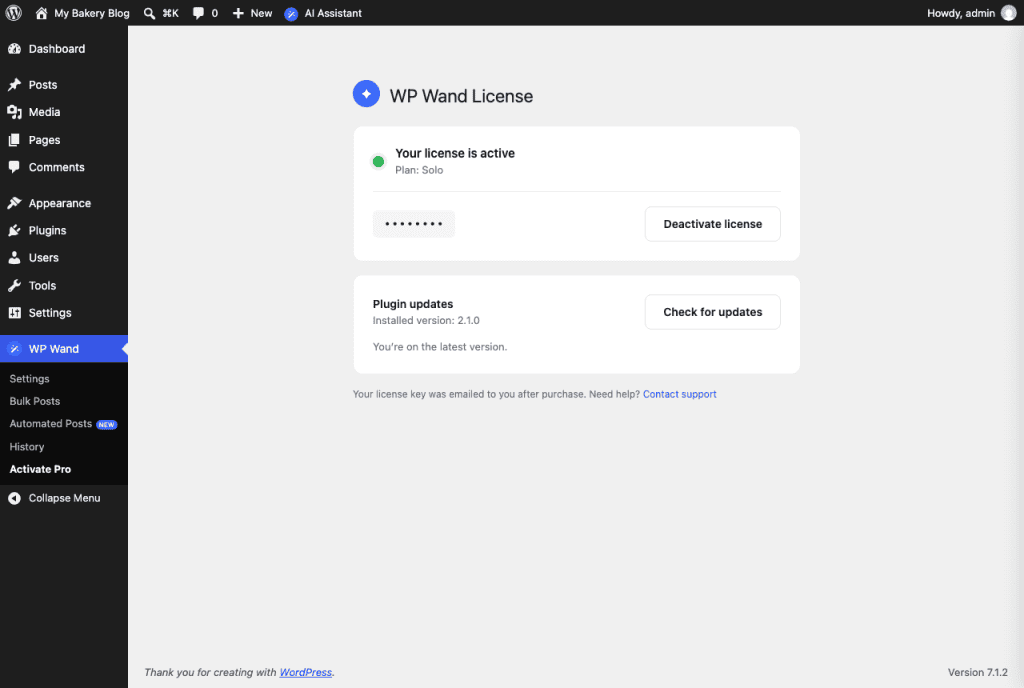
If you have WP Wand Pro, go to “WP Wand > Activate Pro”. You’ll see your plan under “Your license is active”. This menu only shows when the Pro plugin is installed.
How to get more runs
On the free version, go to “WP Wand > Settings” and click on Upgrade to Pro. If you already have Solo or Growth, use the pricing page link above.
After purchasing, follow the How to Use & Activate Pro Plugin article.
